

TotK Vehicle Builds: Hover Bike, Plane, Car and Rocket Shield
Tears of the Kingdom vehicle builds: hover bike, wing plane, four-wheeler, hot-air balloon and rocket shield, what drains power, and where to find Steering Sticks.
In The Legend of Zelda: Tears of the Kingdom, Ultrahand lets you stick Zonai devices together into vehicles. This page covers the five builds that are the most useful and the easiest to get right: the hover bike, a wing plane, a four-wheeler, a hot-air balloon and the rocket shield. For each one: the devices it needs, how to put it together, what drains power, and when to use it.
“Hover bike”, “four-wheeler” and “rocket shield” are not names from the game, just plain descriptions. Ready-made designs that do have names in the game, such as the Fanplane and Hot-Air Balloon schematics, are pointed out where they come up.
Which vehicles are worth building?
| Vehicle | Zonai devices | Drains power | Best for |
|---|---|---|---|
| Hover bike | 2 Fans, Steering Stick | Both Fans | Long trips on the surface, in the sky and in the Depths |
| Wing plane | Wing, 1–2 Fans, Steering Stick (optional) | Fans | Flying from high ground to a far island or across a gap |
| Four-wheeler | 2–4 wheels, Steering Stick, plus a Board or Stone Slab | Wheels | Flat ground on the surface or in the Depths, hauling things |
| Hot-air balloon | Balloon, Flame Emitter, Cart | Flame Emitter | Going straight up |
| Rocket shield | Rocket fused to a shield | Disputed | One big jump up a cliff |
Where each device comes from and whether it uses power is on the Zonai devices page.
What does the Steering Stick do?
Its description reads: “A Zonai device that can control direction when attached to a conveyance. It’ll activate all connected Zonai devices at once.”
- Turns everything on at once. Without a Steering Stick you have to hit each device with a weapon to start it. With one, stepping on and steering runs them all.
- Steers. A game tip says: “When you attach a steering stick to a vehicle with tires, you can not only control its direction but also go in reverse.”
- Goes in the middle. A build that is balanced left to right drives straight and flies level.
Eight of the 30 device dispensers give Steering Sticks. These three have the best mix for vehicles:
| Dispenser | Layer | Devices | Map |
|---|---|---|---|
| Hudson Construction Site (Akkala) | Surface | Fan, Small Wheel, Balloon, Big Wheel, Rocket, Steering Stick | Show on map |
| Dragonhead Island (Faron) | Sky | Wing, Cart, Fan, Steering Stick | Show on map |
| Left-Leg Depot (Faron) | Depths | Wing, Small Wheel, Big Wheel, Rocket, Steering Stick, Construct Head | Show on map |
Each dispenser picks at random from its own list. Once you have all 48 Energy Wells, a Crystal Refinery will trade you any device you name for Crystallized Charges; see battery upgrades.
How do you drive with a Steering Stick?
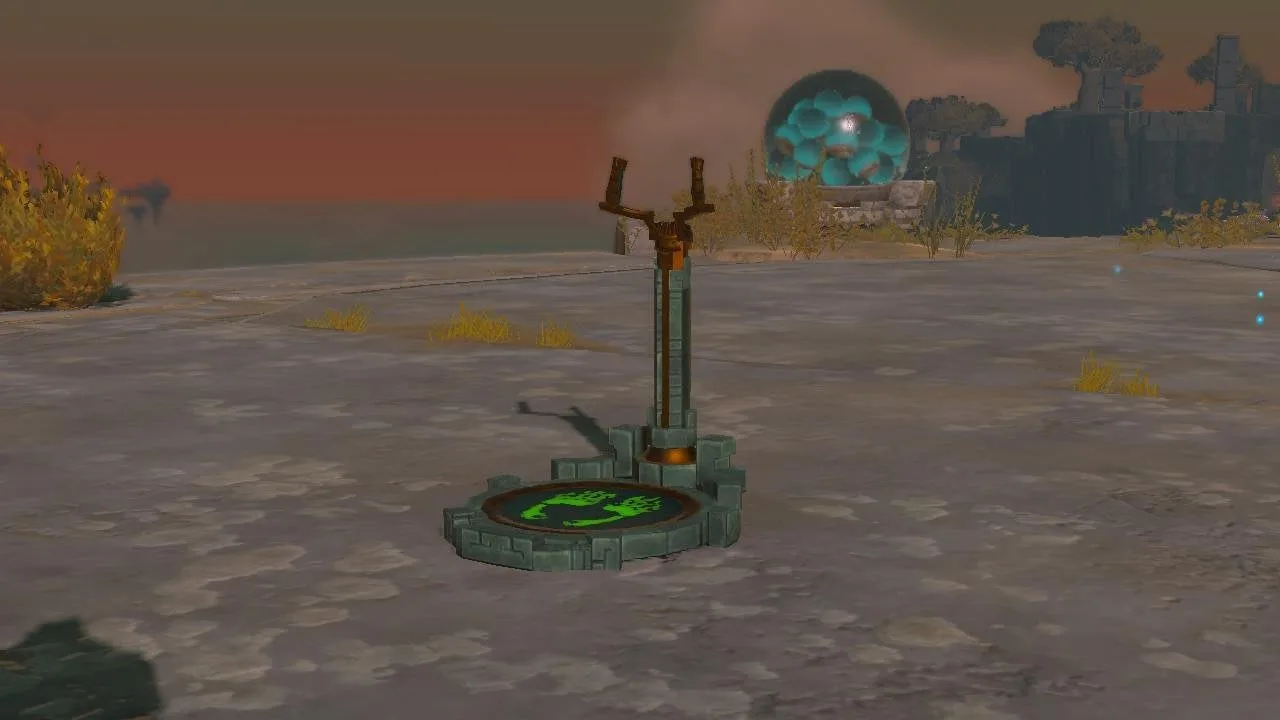
- Grab it. Walk up to the Steering Stick on your vehicle and press A. Link takes hold of the stick, and every Zonai device connected to the vehicle starts up together.
- Steer with the left stick. Left and right turn. On a vehicle with wheels, pulling back reverses.
- Climb and dive in the air. On a flying build the stick tilts the whole vehicle: push forward and the nose drops so you descend, pull back and the nose rises so you climb. Left and right still turn.
- Let the devices do the pushing. The Steering Stick only steers; the thrust comes from the devices. Fans lying face down lift the vehicle, as on the hover bike; Fans on the back of a Wing push it forward, as on the plane. Wheels drive it along the ground.
- Test it before you fly off. Grab the stick and leave the left stick alone. If the vehicle drifts to one side, the Steering Stick is off center: detach it and glue it back in the middle.
- Power. Every running device draws from the battery, and the more there are, the faster it empties. Attached Batteries are used first. When the power runs out, Fans and wheels stop; a Wing keeps gliding for a while. Whether the Steering Stick itself uses power is not clear.
- Tarrey Town Race. Fernison’s race in Tarrey Town lets you bring any vehicle but makes you use a specific Steering Stick, and letting go of it or going too far off course disqualifies you. See minigames.
All the other buttons, from Ultrahand rotation to the D-pad menus, are on the controls page.
How do you build a hover bike?
You need: 2 Fans, 1 Steering Stick.
- Lay the two Fans side by side on the ground, facing down.
- Pick up the Steering Stick with Ultrahand and attach it right between the two Fans.
- Step onto the stick and test it. If it keeps drifting to one side, detach the stick and reattach it closer to the center.
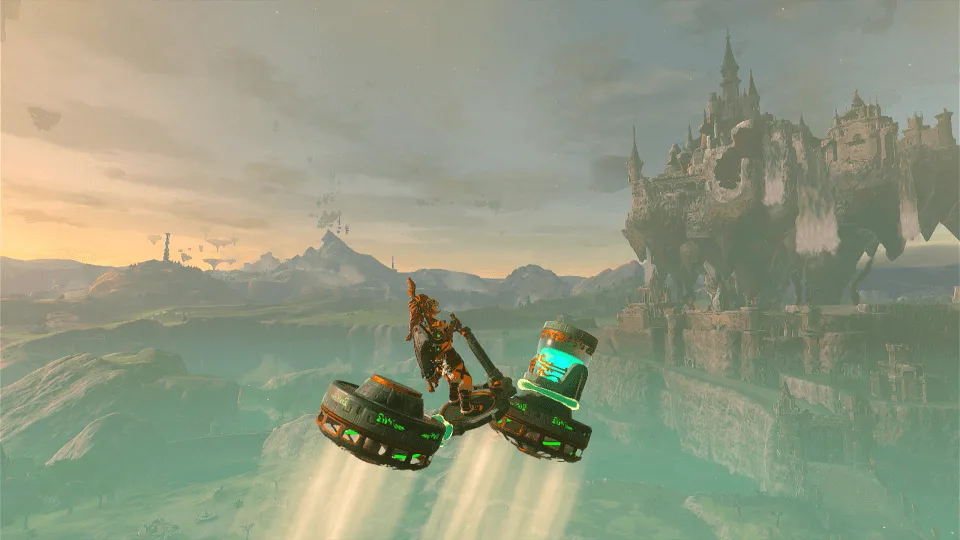
- Power: both Fans use power. A game tip says: “The more Zonai devices in use at a time, the more energy is consumed.” With the starting 3 Energy Wells it will not fly far; attaching a Battery makes a big difference.
- Best for: almost everywhere. In the Depths it keeps you off the gloom, and a game tip agrees that “you can ride a vehicle over the gloom to avoid touching it and losing hearts.”
- Save it: once it flies well, mark it as a favorite in Autobuild so you can call it up anywhere. Missing parts are made from zonaite.
How do you build a plane from a Wing and Fans?
You need: 1 Wing, 1–2 Fans; a Steering Stick is optional.
The Wing uses no power. It glides on lift, and its description warns: “To fly farther, try balancing in the center of the wing.” Attach Fans to the back and it pushes itself forward as it glides.
- Attach the Fans to the back edge of the Wing, blowing backward. With two, put one on each side.
- To steer with the stick, attach a Steering Stick in the middle of the Wing. It flies without one, but then you can only steer by walking around on the Wing.
- Take off. A game tip says: “The key to getting a wing off the ground is either to decrease its friction with the ground or to apply a powerful force to it.” The simplest way is to push it off a high ledge and jump on; a Rocket pointing up or forward also gets it going in one burst.
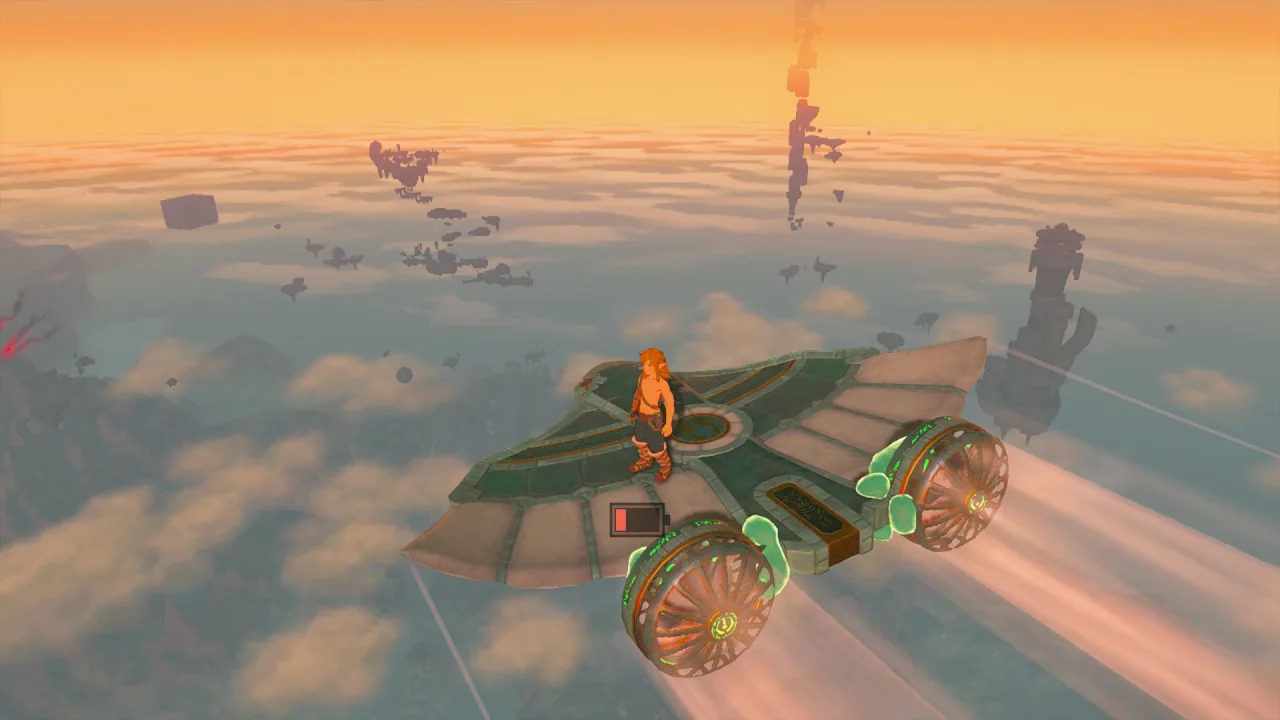
- Power: the Fans use power, the Wing does not, so it keeps gliding for a while after the battery is empty.
- Watch out: a Wing vanishes after a while. It is for crossing a gap or reaching the next island, not for flying all over Hyrule.
- Ready-made design: beat Master Kohga at the Great Abandoned Central Mine and a Steward Construct gives you the Fanplane schematic, which Autobuild can make for you.
How do you build a four-wheeler?
You need: a Board or Stone Slab (or a few Logs stuck together), 2–4 wheels, 1 Steering Stick.
- Lay the Board flat and attach one or two wheels on each side.
- Attach the Steering Stick in the middle of the Board. Step on to drive, and reverse when you need to.
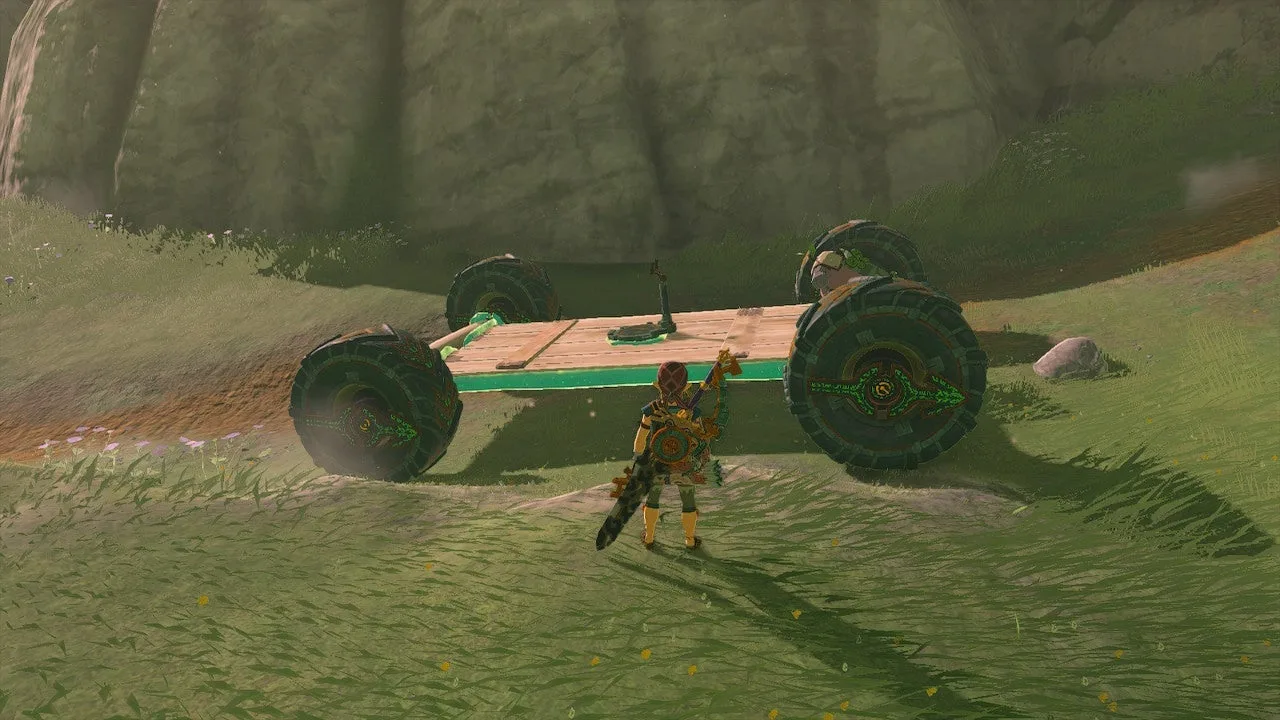
The two wheels’ descriptions say exactly what each is for:
| Wheel | Description | Best for |
|---|---|---|
| Small Wheel | Best suited for flat surfaces; it doesn’t handle hills, or even bumps, very well | Fields and roads |
| Big Wheel | Excels at tearing through rough terrain; it can handle shallow water | Rough ground, shallow water, the Depths |
- Power: every wheel uses power, so more wheels means a shorter drive.
- Deserts and snow: a game tip says “a vehicle built on sleds will move faster in deserts and snowfields than one built on tires”, so swap the wheels for Sleds there. Vehicles also get you across quicksand.
How do you build a hot-air balloon?
You need: 1 Balloon, 1 Flame Emitter, 1 Cart for the base; add a Battery to climb higher.
The Balloon’s description: “A Zonai device that rises when filled with hot air. The hotter the air, the quicker it rises.” The Flame Emitter is the heat source.
- Put the Cart on the ground as the base and attach the Balloon above it.
- Place the Flame Emitter right under the Balloon, pointing up.
- Stand on the Cart and hit the Flame Emitter. The Balloon lifts the Cart with you on it.
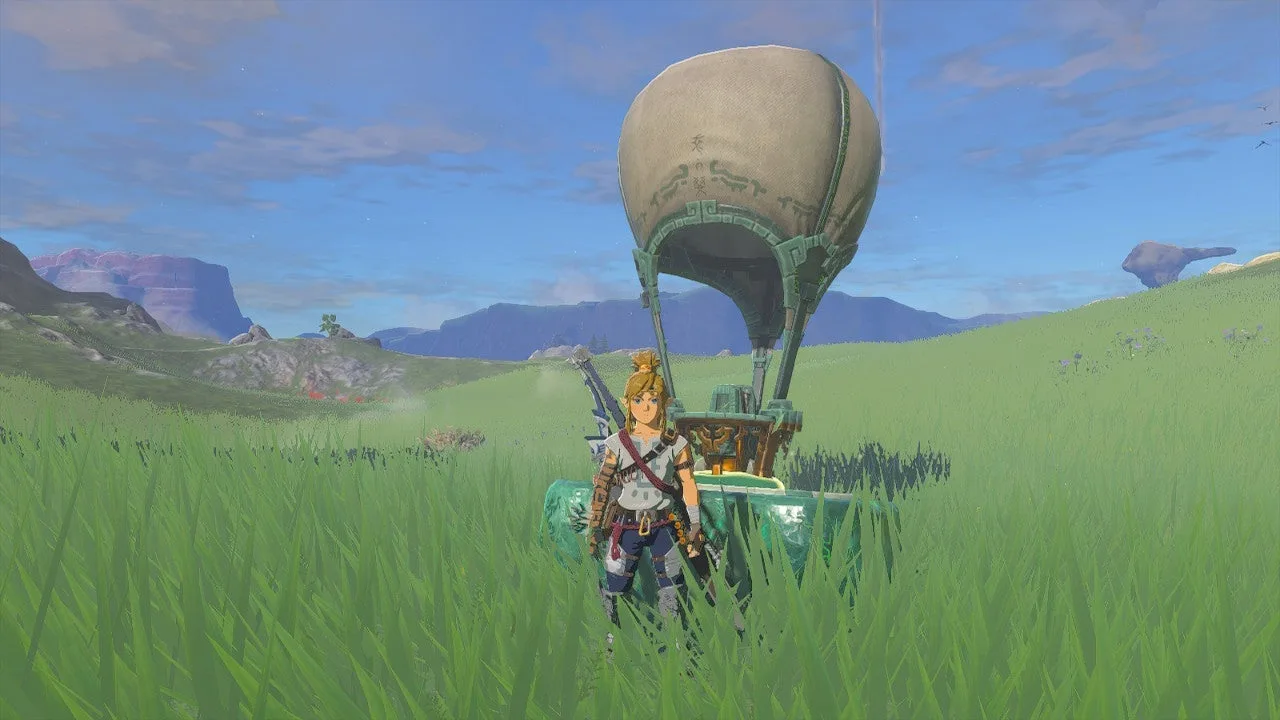
- Power: only the Flame Emitter uses power. It is said that when the power runs out, holding a lit torch under the Balloon keeps it heated.
- Best for: getting up high. From there, paraglide or switch to a Wing to go where you want.
- Ready-made designs: talk to Josha after A Mystery in the Depths for the Hot-Air Balloon schematic; there is also a Dirigible Schema Stone in the Depths. See schematics. Flame Emitters only come from five dispensers, all in the sky.
How do you use a rocket shield?
You need: 1 Rocket and any shield.
Fuse a Rocket to your shield. When you raise the shield, the Rocket fires and shoots Link straight up. The game tip (titled “Rocket Jumping”) says: “If you fuse a rocket to your shield and hold it up, you can make one high jump.”
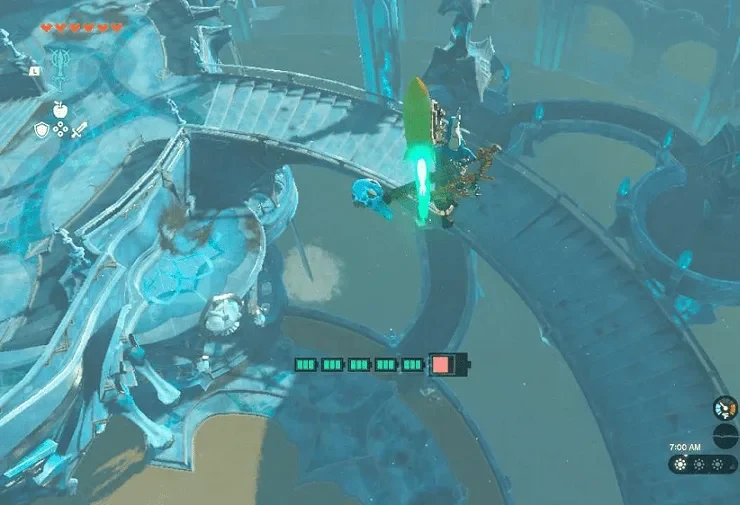
- One use: the Rocket is gone after the jump, so fuse another. Open your paraglider at the top.
- Power: whether a fused Rocket drains your battery is disputed; see the Zonai devices page.
- Best for: cliffs you do not want to climb, or getting out of a fight fast. Four dispensers give Rockets, including Hudson Construction Site and Left-Leg Depot, so carry a few.
How do you make a vehicle last longer?
- Attach a Battery. A game tip: “By attaching a battery to a Zonai device, you can activate it without consuming your energy gauge.” Attached Batteries and Big Batteries are used first; your own Energy Cell is only used after they are empty.
- Add Energy Wells. You start with 3 and can reach 48; see battery upgrades.
- Leave off devices you do not need. More powered devices means the battery empties sooner.
- Top up. Using a Zonai Charge from your inventory restores a little power.
See also
Zonai devices and dispenser locations, Autobuild, schematics, battery upgrades, beginner tips.
Video walkthrough

FAQ
How do you make a hover bike?
Where do you get a Steering Stick?
What do you do when a vehicle runs out of power?
What does the Steering Stick do?
How do you go up and down with a Steering Stick?
Related Articles
guides
TotK Abandoned Mines: All 10 Forge Constructs and Trades
The ten abandoned mines in the Tears of the Kingdom Depths: where they are, Forge Construct trade rates, the Schema Stone at each mine and where Kohga fights.
guides
TotK Autobuild: How to Get It, Zonaite Cost and Favorites
How to unlock Autobuild in Tears of the Kingdom, how it rebuilds your Ultrahand creations, when it costs zonaite, and how favorites and schematics work.
guides
TotK Schematics: All 12 Schema Stones and 34 Yiga Schematics
Where to get all 12 Schema Stones and all 34 Yiga Schematics in Tears of the Kingdom, with map locations and the Autobuild design each one unlocks.
Was this helpful?
Thanks for the feedback!