

TotK Controls: Button Layout, Ultrahand Rotation, Special Moves
Tears of the Kingdom controls: the default button layout, Ultrahand grab and rotate, Fuse, camera, D-pad quick menus, motion aiming and the jump swap option.
This page lists the controls of The Legend of Zelda: Tears of the Kingdom on a Nintendo Switch with the default settings, the same for Joy-Con and the Pro Controller. It covers the basic buttons, moving around, fighting, the abilities (Ultrahand, Fuse, Ascend, Recall, Autobuild and the Camera), the D-pad quick menus and the options that change how the controls feel. Driving a vehicle with a Steering Stick has its own section on the vehicle builds page.
Where can you check the controls in the game?
A game tip says it best: “Take a peek at your controls at any time by opening the + menu and checking under System.” The System tab shows the basic controls on a controller diagram, and below Save, Load and Options there is Special Controls, a list of nine moves with a picture of which buttons to press:
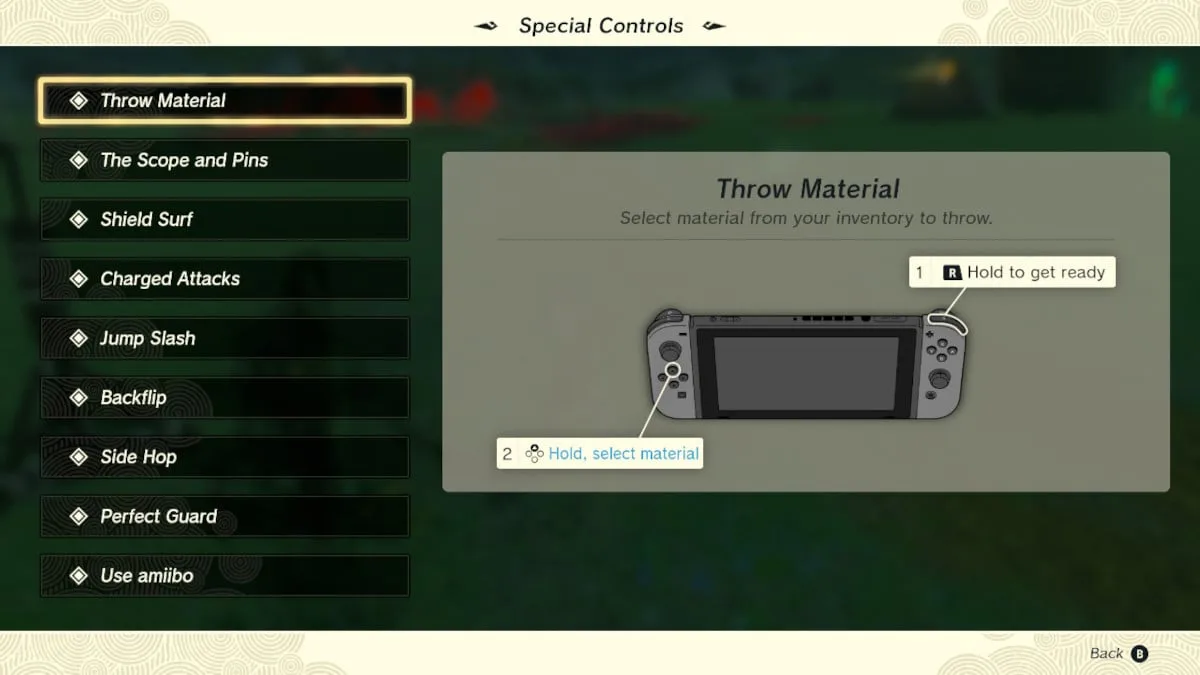
Throw Material, The Scope and Pins, Shield Surf, Charged Attacks, Jump Slash, Backflip, Side Hop, Perfect Guard and Use amiibo.
A move only appears in that list once the game has taught it to you, but you can do all of them from the start.
What are the basic controls?
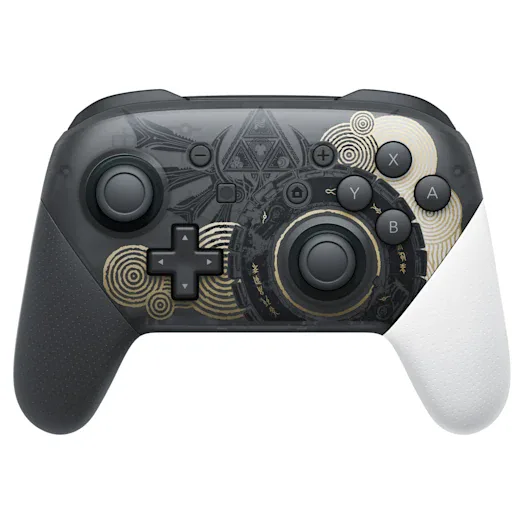
| Button | What it does |
|---|---|
| Left stick | Move. Press it in to crouch and sneak |
| Right stick | Move the camera. Press it in to look through the scope |
| A | Action: talk, pick up, open, check |
| B | Put away your weapon. Hold it while moving to sprint |
| X | Jump |
| Y | Attack |
| L | Use your right-hand ability. Hold it to pick a different ability |
| R | Throw your weapon (hold to aim, release to throw) |
| ZL | Focus: lock on to a target, and raise your shield with a one-handed weapon |
| ZR | Draw your bow (hold), release to shoot |
| D-pad | Change equipment and quick menus (see below) |
| − | Purah Pad: map, Adventure Log, album, Hyrule Compendium |
| + | Menu: your inventory, and the System tab |
A few things the game’s tips point out about ZL: a quick press swings the camera behind Link; near an enemy or a person it locks on, and you can then circle around them; when there are several targets, press it again to switch.
In the inventory, L and R switch tabs, Y sorts, X lets Link hold an item (for example to drop it and Fuse it) and A selects. On the Food tab, X opens your recipe notes.
How do you move around?
- Sprint: hold B while moving. Sprinting uses stamina.
- Crouch: press the left stick. Monsters have a harder time noticing you.
- Climb: push the left stick toward a wall. Press X to climb faster, which uses a lot of stamina; press B to let go. A game tip: use the left stick and X to kick off the surface you are climbing, then open the paraglider to reach new places.
- Paraglider: press X in midair to open it and B to close it.
- Swim: the sprint button swims faster, but it drains stamina, and running out in the water means drowning.
- Skydive: when you fall from the sky, a game tip says you can hold a button to speed up the dive; the button is shown on screen.
- Shield surf: with your shield up (ZL), jump with X and press A in midair to land on the shield and slide downhill. It wears the shield down.
- Ladders: climbing a ladder costs no stamina, but jumping up it with X does.
On a horse, A spurs it on (press repeatedly to reach a gallop), pulling the left stick back slows down, and L soothes it. Press down on the D-pad to whistle for a registered horse that is nearby. More in the horse guide.
How do the combat controls work?
| Move | Buttons |
|---|---|
| Charged attack | Hold Y, release |
| Jump slash | Press Y after a jump or while falling |
| Perfect Guard | With the shield up (ZL), press A just before the hit lands |
| Side hop / backflip | Hold ZL, push the left stick left or right / back, press X |
| Flurry Rush | Press Y after a well-timed dodge |
| Throw a weapon | Hold R to aim, release |
| Fuse a material to an arrow | While drawing the bow (ZR), press up on the D-pad |
| Throw a material | Hold R, then hold up on the D-pad and pick a material |
| Slow-motion aiming | Draw your bow in midair; it drains stamina |
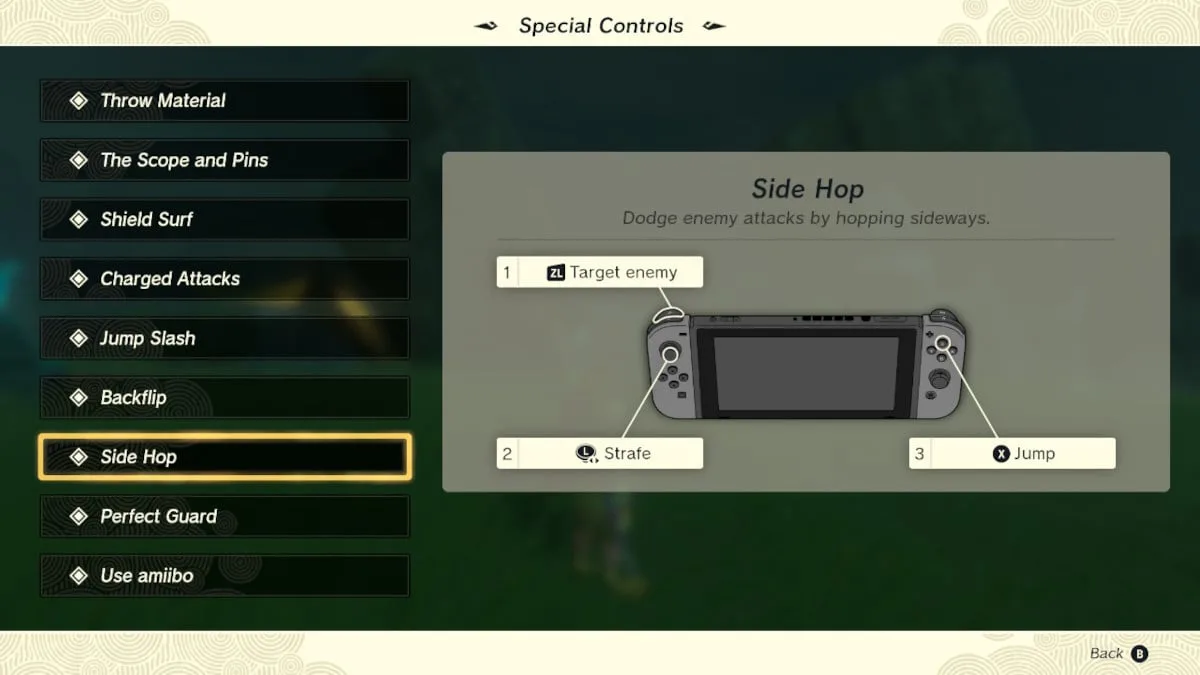
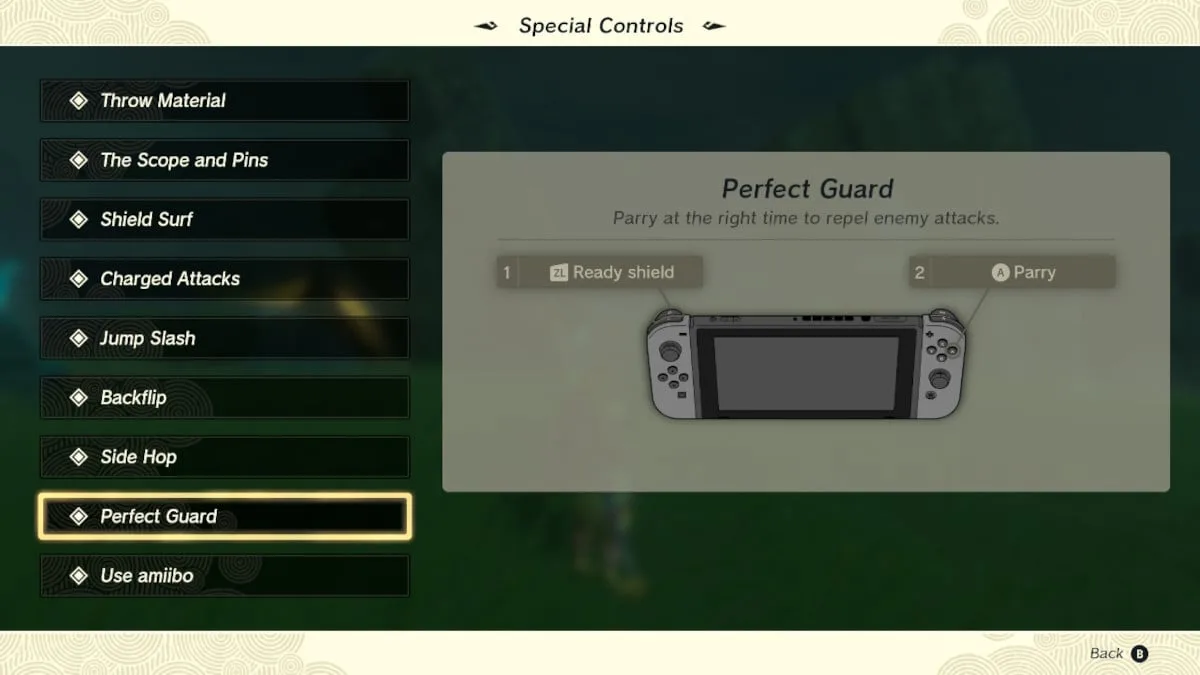
Timing, which enemies to parry and what Fuse adds in a fight are on combat tips.
How do you use the abilities?
Tap L to use the ability you have selected. Hold L to open the ability wheel and pick one with the right stick; the game pauses while the wheel is open, so you can switch in the middle of a fight. Where each ability comes from: abilities guide.
Ultrahand: grab, move, rotate, attach
| Button | While holding an object |
|---|---|
| A | Grab the object you are aiming at (it glows) |
| Right stick | Move it up, down, left and right |
| D-pad up / down | Push it farther away / pull it closer |
| Hold R + D-pad up / down | Rotate it vertically |
| Hold R + D-pad left / right | Rotate it horizontally |
| ZL (while holding R) | Reset its orientation |
| A | Attach it, when green glue appears between it and another object |
| Wiggle the right stick left and right | Unstick it from what it is glued to |
| B | Let go |
If the rotation feels backwards, Options has “Inverted vertical ability controls” and “Inverted horizontal ability controls”.
Fuse, Ascend, Recall, Autobuild and the Camera
- Fuse: pick Fuse and aim at an item or material on the ground. Press Y to fuse it to the weapon in your hand, or ZL to fuse it to your shield. To fuse something from your inventory, press up on the D-pad (without drawing your bow), choose the material and take it out of your pouch so it drops at your feet. Which materials are worth it: Fuse guide.
- Ascend: aim at the ceiling above you; when the target turns green, press A. When your head pops out, press A to climb out or B to drop back.
- Recall: aim at a moving object and press A. Press L to stop it at any time.
- Autobuild: pick it from the wheel and choose a past build or a schematic. It keeps 30 builds and up to 8 favorites. See Autobuild.
- Camera: once it is unlocked in Camera Work in the Depths, pick it from the ability wheel and press A to take a picture. The camera screen also offers Self-Portrait, Landscape Shot and Zoom.
- Scope: press the right stick in. While looking through it, press A to drop a pin on the map at that spot.
How do the D-pad quick menus work?
| D-pad | Normally | While drawing the bow (ZR) | While holding R |
|---|---|---|---|
| Right (hold) | Pick a weapon | Pick a bow | — |
| Left (hold) | Pick a shield | — | — |
| Up (hold) | Take out a material | Attach a material to the arrow | Pick a material to throw |
| Down | Whistle (calls your horse, and summoned sages) | — | — |
Hold the direction and pick from the list that appears. Press Y in a quick menu to sort it: by type, by strength, by Fuse attack power, by most used, or with Zonai devices first.
Which options change the controls?
All of these are under + → System → Options:
| Option | What it does |
|---|---|
| Invert vertical camera / Invert horizontal camera | Flips the right stick for the camera |
| Camera sensitivity | How fast the camera turns, from Very low to Very high |
| Aim with motion controls | On: tilting the controller moves your aim. Turn it off if your aim drifts |
| Swap jump controls | Jump moves to B, and sprint and the other B actions move to X |
| Lock minimap to north | The minimap stops turning with Link |
| HUD mode | Pro shows the minimum on screen |
| Inverted vertical / horizontal ability controls | Flips the D-pad when you rotate things with Ultrahand |
Jump is the only button the game itself lets you move. To remap anything else, use the Switch’s System Settings (Controllers and Sensors, Change Button Mapping); that applies to every game.
See also
Combat tips, abilities guide, Fuse guide, Autobuild, vehicle builds, Zonai devices, beginner tips.
FAQ
How do you rotate objects with Ultrahand?
Where can you see the controls in the game?
How do you turn off motion controls?
Can you swap the jump and sprint buttons?
Related Articles
guides
Ocarina of Time Remake Characters: Sheik, Sages and More
Who is who in the Ocarina of Time remake: Link, Navi, Zelda, Sheik, Ganondorf, the seven sages, the owl, Malon and more, with where you meet them and what they give.
guides
Ocarina of Time Remake FAQ: Length, Link’s Age, Dungeons
Quick answers about the Switch 2 Ocarina of Time remake: how long it takes, what OoT means, how old Link is, dungeon order, jumping, Saria and Master Quest.
guides
BotW FAQ: 31 Beginner Questions Answered
Thirty-one quick answers for Breath of the Wild: the Great Plateau, Divine Beasts, combat, equipment, collectibles, ending saves, DLC and Switch 2 Edition.
Was this helpful?
Thanks for the feedback!