

TotK Autobuild: How to Get It, Zonaite Cost and Favorites
How to unlock Autobuild in Tears of the Kingdom, how it rebuilds your Ultrahand creations, when it costs zonaite, and how favorites and schematics work.
Autobuild is the fifth ability Link gets, after the four from the Great Sky Island. The item text puts it this way: “Instantly re-create your Ultrahand projects, using nearby items and zonaite. Autobuild records your previous creations.”
Where do you get Autobuild?
At the Great Abandoned Central Mine in the Depths.
- Finish Camera Work in the Depths with Robbie, then finish any one regional main quest.
- Talk to Josha at Lookout Landing and take A Mystery in the Depths.
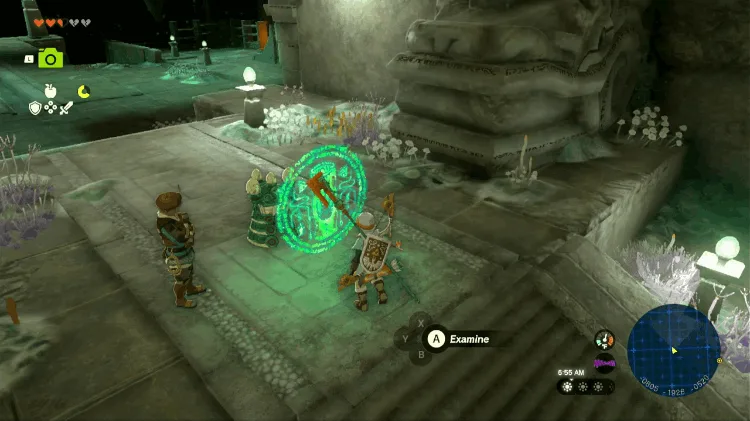
- In the Depths, follow the direction the statues along the way are facing. They lead to the Great Abandoned Central Mine.
- At the top of the mine stand two “researchers”. Examine the glowing green pedestal next to them to learn Autobuild.
You can also go straight to the mine without the quest. The quest itself only ends once you report to Josha and, as she asks, use Autobuild to repair Robbie’s hot-air balloon. See Purah Pad upgrades.
How do you use Autobuild?
- Open the ability menu and pick Autobuild.
- Choose a record from the list. It has three tabs: favorites, schematics and history.
- A see-through preview appears in front of you. Move it forward or back, rotate it, then confirm to build.
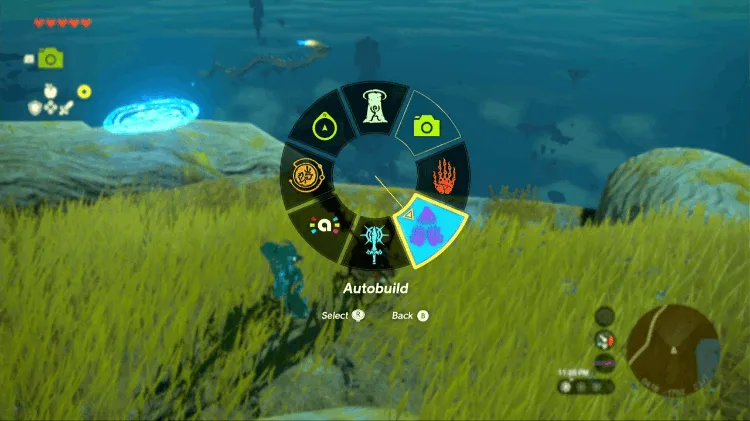
A game tip says: “You can use Autobuild to easily re-create things you’ve built before with Ultrahand.” Any time you stick two or more things together with Ultrahand, the build goes into the history. There is nothing to save by hand.
When does Autobuild cost zonaite?
Autobuild first uses what is lying around. If every part it needs is nearby, building is free.
Missing parts are made from zonaite. The tip reads: “You can reproduce designs even if you are short on materials by spending zonaite. This will not work if you don’t have enough zonaite to reproduce the design.” The preview shows how much zonaite this build costs and how much you carry. If you are short, the game says “You don’t have enough zonaite to build with Autobuild.”
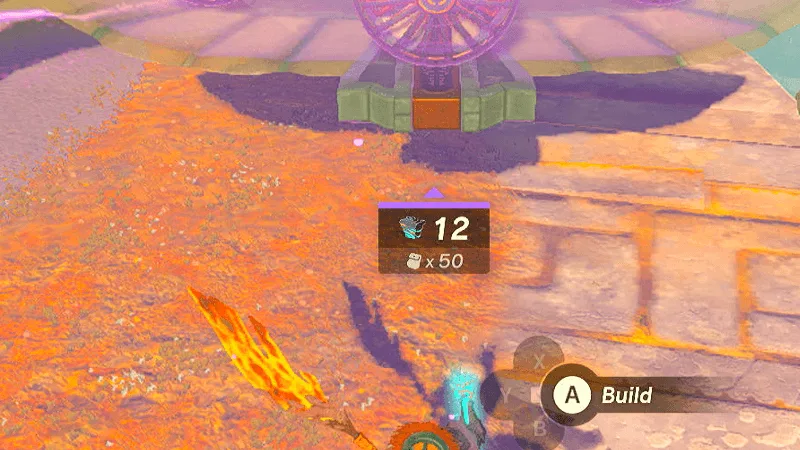
Parts made from zonaite are not like the real thing: pull one off the build and it simply breaks, and the zonaite spent on it is gone.
Zonaite is most common in Depths ore deposits and on the backs of Frox. To save it, autobuild where the parts are already lying around, or take the devices you need out first and set them nearby. For where to get each device, see the device guide.
How do Autobuild favorites work?
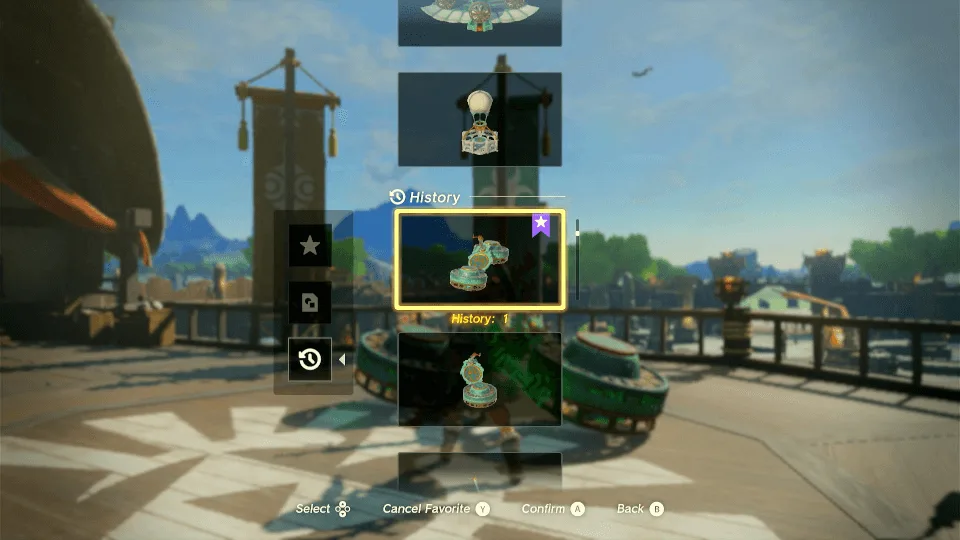
History holds 30 builds; once it is full, the oldest is pushed out. The tip: “Older Autobuilds are automatically deleted as you create new ones and reach your limit. Mark your favorites to make sure you keep them.”
Highlight a record in the history and mark it as a favorite with the button shown on screen. It gets a purple star tag. You can have up to 8 favorites.
How do schematics fit in?
Schematics are ready-made Autobuild records. There are 12 Schema Stones and 34 Yiga Schematics, and each one adds a design to the schematics tab, with the message “The new design has been registered with Autobuild.” For where to find them, see schematics.
Which builds are worth saving?
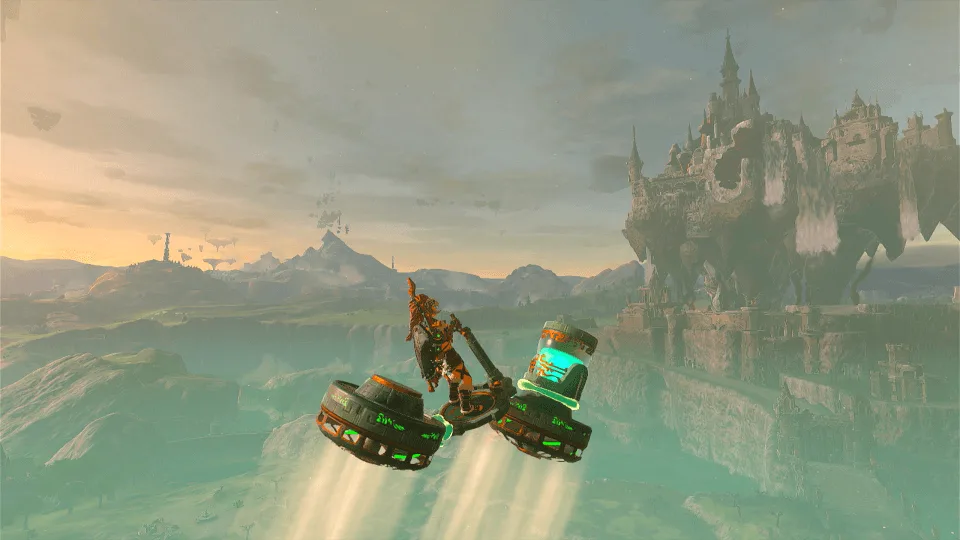
- Hover bike: two Fans and one Steering Stick, quick to put together. Riding it in the Depths keeps you off the gloom, and a game tip says that riding a vehicle over gloom keeps you from losing hearts. The game has no name for it; “hover bike” is what players call it. Build it once and mark it as a favorite.
- Schematic vehicles: the Fanplane, Hot-Air Balloon, Dirigible and others are ready-made designs from the game, no trial and error needed.
On the Nintendo Switch 2 Edition you can also share Autobuild designs as QR codes through ZELDA NOTES. See the ZELDA NOTES guide.
See also
devices and dispensers, battery upgrades, Depths guide, and Fuse, the other ability people mix it up with.
FAQ
Where do you get Autobuild?
What does Autobuild cost?
How many Autobuild designs can you save?
Is Autobuild the same as Fuse?
Related Articles
guides
BotW Inventory Expansion: Hestu Locations and Korok Seed Costs
How to expand weapon, bow and shield slots in Breath of the Wild: where Hestu goes, starting and maximum slots, and the Korok Seed cost of every upgrade (441 total).
guides
BotW Sheikah Slate Runes and Upgrades: Remote Bomb+, Stasis+, Sensor+
Every Sheikah Slate rune in Breath of the Wild: the four Great Plateau shrines, Camera and Sheikah Sensor, and the ancient parts Purah needs for each rune upgrade.
guides
BotW Temperature and Weather: Cold, Heat, Flame Guard and Lightning
Breath of the Wild temperature and weather: cold and heat levels, Death Mountain and Flame Guard, stacking resistance, lightning, rain climbing and the forecast.
Was this helpful?
Thanks for the feedback!