

TotK Glitches That Still Work in 1.4.3: Dupes and Rupees
Which Tears of the Kingdom glitches still work in version 1.4.3 on Switch and Switch 2: item and weapon duplication, rupees, and what each patch fixed.
Version 1.4.3 is the latest update for Tears of the Kingdom, and duplication glitches still work in it, on the original Switch and in the Nintendo Switch 2 Edition. The easy launch-week glitches are long gone, though. This page lists what still works, the steps for the three most useful ones, and which update removed each of the old ones.
What is the latest version of Tears of the Kingdom?
Version 1.4.3, released on February 17, 2026 for both Nintendo Switch and Nintendo Switch 2. To check yours, highlight the game on the HOME Menu and press +: the version is shown under the title.
| Version | Released | What it did to glitches |
|---|---|---|
| 1.1.2 | May 25, 2023 | Fixed the first easy duplication glitches |
| 1.2.0 | July 4, 2023 | Fixed the ones found after 1.1.2 |
| 1.2.1 | August 22, 2023 | Quest and display fixes |
| 1.4.0 | June 3, 2025 | Added the Nintendo Switch 2 Edition |
| 1.4.1 | June 12, 2025 | Text fixes |
| 1.4.2 | July 3, 2025 | Stopped edited Autobuild QR codes from building |
| 1.4.3 | February 17, 2026 | Hinox Monster Medal fix; the glitches below still work |
The Nintendo Switch 2 Edition uses the same version numbers. It runs at a higher frame rate, so any step that depends on timing has a shorter window there.
Which glitches still work in 1.4.3?
| Glitch | What it does | What you need | Difficulty |
|---|---|---|---|
| Split Item Duplication | Copies up to four of a material each round | A bow, an arrow, a shield, one piece of food | Easy, no timing |
| Midair throw duplication | Copies one throwable material each jump | A ledge to jump from | Timing |
| Weapon copy with Mineru’s Construct | Turns a spare weapon, bow or shield into a copy of another | Mineru’s Construct, a spare of the same type | Timing |
| Selling with no materials | Sells a weapon, bow or shield without losing it | A new save with no materials picked up | Easy, new game only |
| Lightning Temple arrow pot | Gives arrows again after every warp | A Travel Medallion or the temple’s travel point | Easy; works as designed |
A few others are known to work but need a long set-up: copying Zonai devices by shifting the inventory, moving a weapon’s bonus to another weapon with Mineru’s Construct, and paying Hestu one Korok seed per upgrade. We do not give steps for them here.
How do you duplicate materials in 1.4.3?
Split Item Duplication has no timed input, which makes it the easiest glitch on both consoles. It works on any material you can fuse to an arrow, so not on fairies or other live creatures.
You need:
- A bow and at least one arrow, plus a shield for the jump in step 4.
- At least three of the material you want to copy.
- One piece of raw food, such as an Apple, with exactly one in your inventory. It must sit earlier in the Materials list than the material you are copying; sorting by type puts food first.
Steps:
- Draw the bow and fuse the material to the arrow. Hold ZR, press up on the D-pad and pick the material you want to copy.
- Open the inventory and eat the single piece of food. Eat it from the Materials tab, so that its slot empties.
- Unequip the bow, then close the inventory.
- Shield surf, and open the inventory while Link is still in the air. Opening the Paraglider or riding Mineru’s Construct works in place of the jump.
- Find the material. It now has two slots: one with a single item and one with the rest. Hold up to five from the larger slot and leave the single one alone.
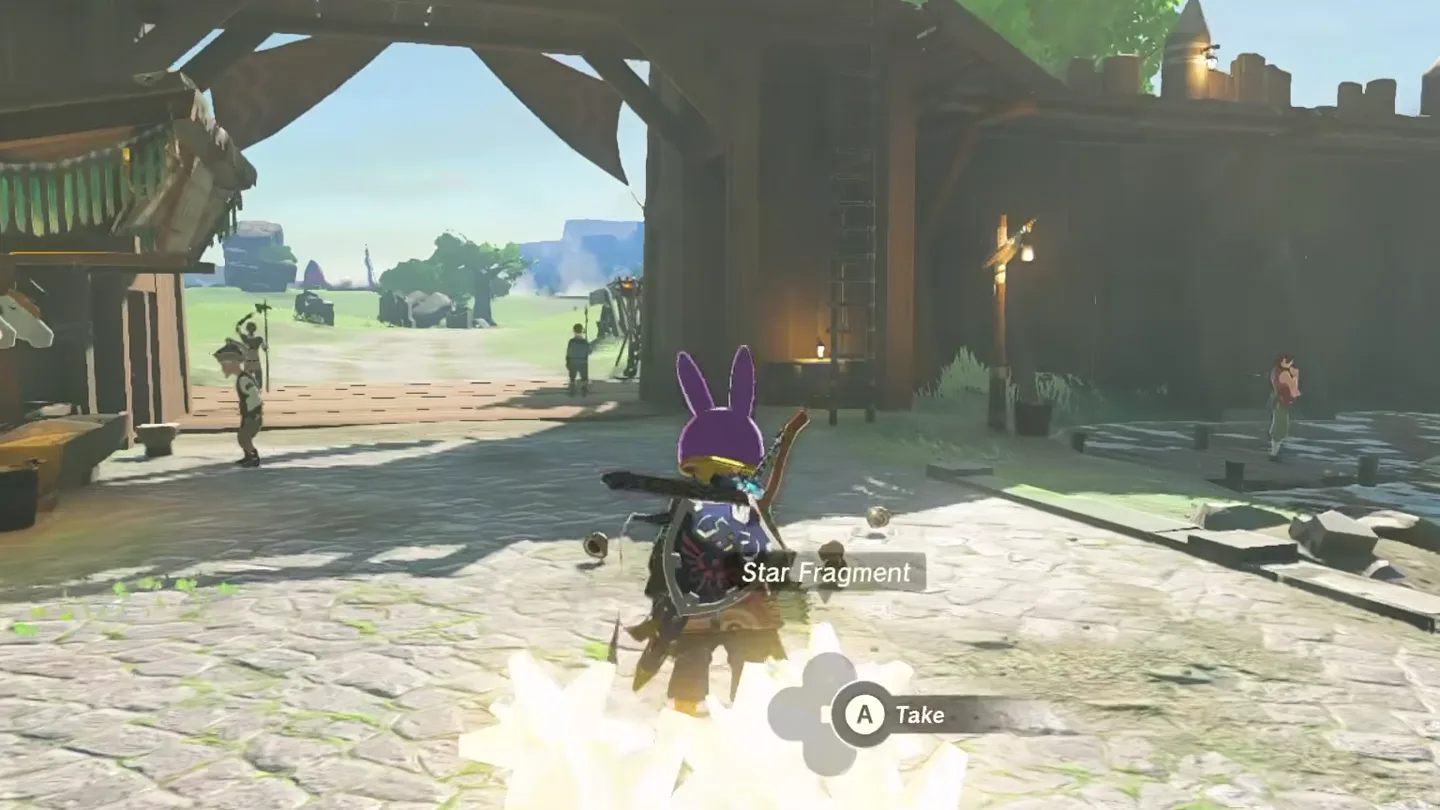
- Press − to open the map, then close it. The held materials drop to the ground while your count stays the same.
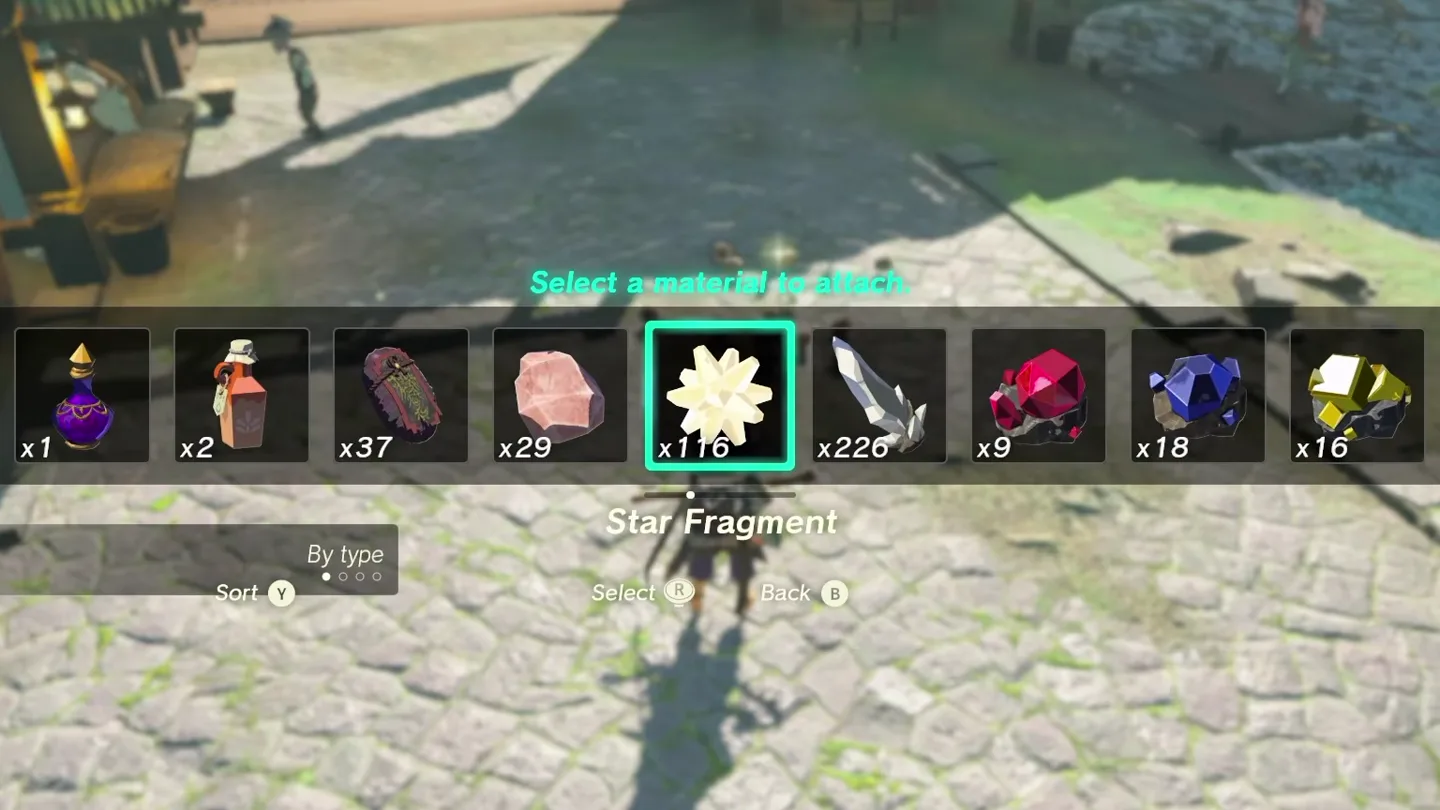
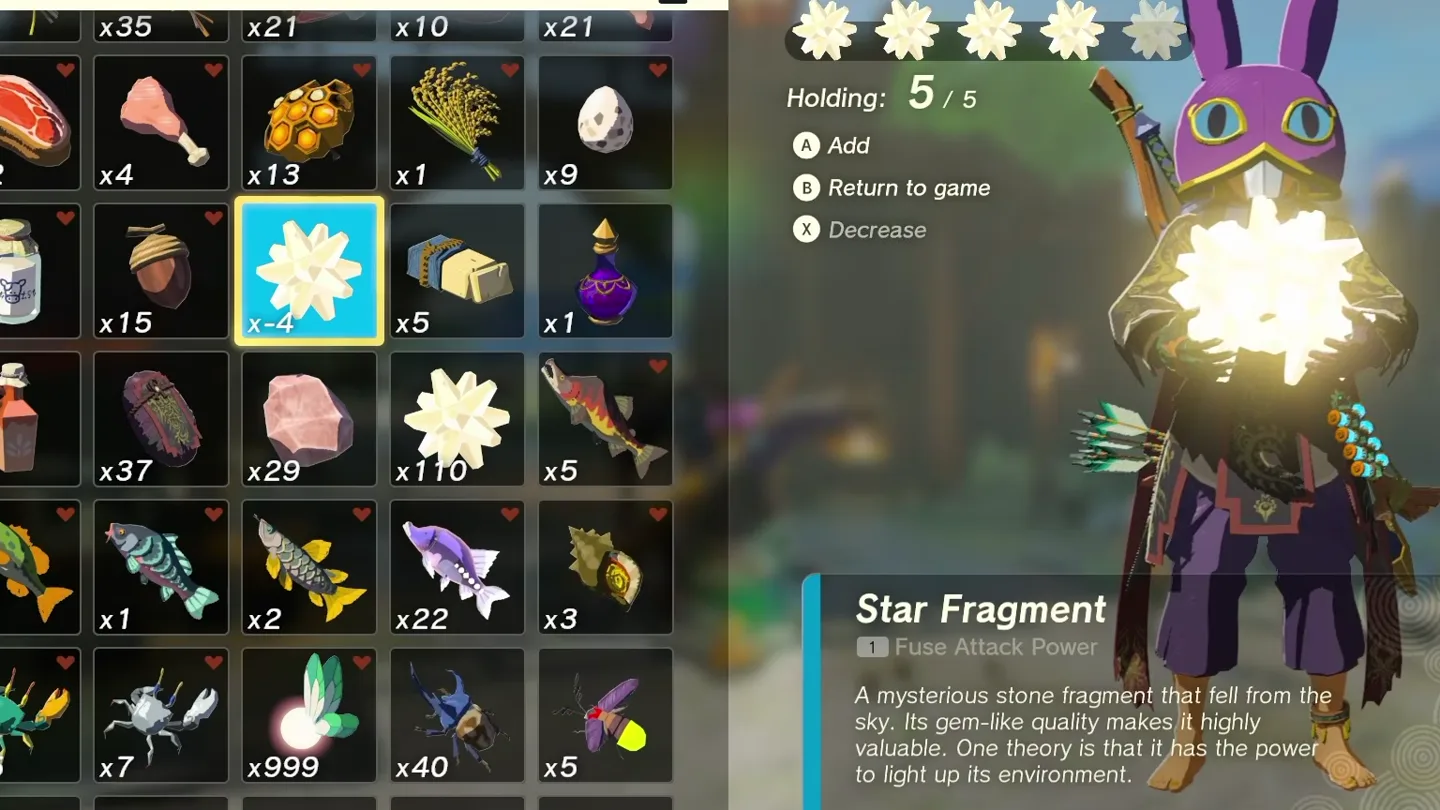
Each round gives one fewer than you held, so holding five makes four copies. The food is used up every round. Midair throw duplication, below, is a handy way to make more of it.
Midair throw duplication
This one copies a single throwable material per jump and only works while you have exactly one of it.
- Stand on a ledge. Higher is easier.
- Hold R, press up on the D-pad and pick the material, as if to throw it.
- Jump off. As Link starts to fall, hold up on the D-pad again to reopen the menu.
- Close the menu and let go of R while Link’s throwing arm is partway down, then open the menu once more.
- If the timing was right, the menu offers to drop the material. Press X: one is thrown and a second falls beside you.
The game keeps at most 21 loose items on the ground, so pick the copies up as you go.
How do you duplicate weapons, bows and shields in 1.4.3?
The method that still works uses Mineru’s Construct, so you need the fifth sage. It turns a spare weapon into a copy of the one you want, and the spare must be the same type (a weapon for a weapon, a bow for a bow, a shield for a shield) with nothing fused to it. Its key input is timed to a few frames, so expect several tries and save first.
- Ride Mineru’s Construct. Equip the spare weapon, then drop it on the ground.
- Press X to ready a fuse to the construct, then press Y and + almost together, Y a moment sooner. The game pauses on the inventory.
- Watch memories from the Adventure Log: two if a green line is drawn between the weapon and the construct, one if there is none. You can skip each memory as it starts.
- Close the menu. If it worked, the weapon falls to the ground and is not stuck to the construct. If not, reload.
- Get off and pick the spare up. Open the inventory and dismiss Mineru from her vow in Key Items. The spare vanishes from Link’s hand.
- Drop the weapon you want to copy from the inventory without equipping it, then pick it up again.
- Open the inventory and drop the spare, which is still shown as equipped. What lands on the ground is a second copy of the weapon you wanted.
To keep one weapon in use without copying it, the game has an intended route: a Rock Octorok swallows a worn weapon and spits it back repaired. See weapon durability.
Is there a rupee glitch in 1.4.3?
Two approaches still work.
Duplicate something valuable and sell it. A Diamond sells for 500 at any shop, and Split Item Duplication makes four a round. The honest ways to earn are on the rupee farming page.
Sell with no materials, on a new save only. If you leave Great Sky Island without ever picking up a material, a shop has no Materials tab to show. It opens your most recently unlocked tab of weapons, bows, shields or key items and lets you sell from it. The item does not leave your inventory, so it can be sold again and again. Picking up any material ends it.
How do you get arrows back from the Lightning Temple pot?
This one is the game working as designed, since objects go back to their places when you warp. In the basement of the Lightning Temple, one standing pot holds arrows. Fuse that pot to a weapon, warp to a Travel Medallion placed beside it or to the temple’s own travel point, and the pot is back in its place while the fused one is still on your weapon. Break the fused pot, pick up the arrows and repeat. The temple itself is on the Lightning Temple walkthrough.
Which glitches have been patched?
| Glitch | What it did | Fixed in |
|---|---|---|
| Midair sort (Y + B) | Dropped held materials while gliding or shield surfing without lowering the count | 1.1.2 |
| Pause-and-reload weapon copy | Copied an equipped weapon, bow or shield by pressing + twice and reloading | 1.1.2 |
| Tobio’s Hollow Chasm arrows | A multi-shot bow left extra copies of a fused material hanging in the chasm | 1.2.0 |
| Autobuild frozen meat | Autobuild rebuilt fused meat as extra frozen food in the cold | 1.2.0 |
| Edited Autobuild QR codes | Shared builds containing objects that cannot normally be built, such as Ganondorf, used for endless hearts and stamina | 1.4.2 |
If you see a tutorial for one of these, check its date: it only works on a copy of the game that has never been updated past the version before the fix.
Does the Switch 2 Edition have its own glitches?
No extra ones survive. The edited Autobuild QR codes arrived with Zelda Notes in the Nintendo Switch 2 Edition and were shut off in 1.4.2. Everything in the table of working glitches behaves the same on both consoles, apart from the tighter timing at the higher frame rate. What the edition changes otherwise is on the Switch 2 Edition page.
FAQ
Do duplication glitches still work in Tears of the Kingdom 1.4.3?
What is the latest version of Tears of the Kingdom?
Was the paraglider duplication glitch patched?
Can glitches get you banned or break your save?
Is there a rupee glitch in 1.4.3?
Related Articles
weapons
TotK Pristine Weapons: Depths Locations and Respawn Rules
Find pristine weapons in Tears of the Kingdom: shadow soldiers, regional weapon pools, decayed-weapon unlocks, Blood Moon respawns and collection tips.
guides
TotK Hateno Mayoral Election: Quests, Mushrooms and Rewards
Complete the Hateno election in Tears of the Kingdom: all eight mushroom recipients, cheese, both secrets, rewards, unlocks and fixes for stalled quests.
guides
TotK Hearty Ingredient Farming: Radish, Truffle and Fish Routes
Find all seven Hearty ingredients in Tears of the Kingdom with sky-island, cave and fish routes, cooking values, and reserves for armor upgrades.
Was this helpful?
Thanks for the feedback!