

BotW Glitches That Still Work in 1.9.0 (Switch 2 Too)
Which Breath of the Wild glitches still work in version 1.9.0 on Switch and Switch 2: windbombs, weapon duplication, rupees, and what the updates fixed.
Version 1.9.0 is the latest update for Breath of the Wild, and almost every well-known glitch still works in it. The game went six years without an update, then got four in under a year when the Nintendo Switch 2 Edition arrived, and those only took away two glitches. This page lists what still works, gives the steps for the useful ones, and says what differs on Switch 2.
What is the latest version of Breath of the Wild?
Version 1.9.0, released on February 17, 2026 for both Nintendo Switch and Nintendo Switch 2. To check yours, highlight the game on the HOME Menu and press +: the version is shown under the title.
| Version | Released | What it did to glitches |
|---|---|---|
| 1.6.0 | April 25, 2019 | The version most tutorials were recorded on |
| 1.8.0 | June 3, 2025 | Added Nintendo Switch 2 Edition support; the bow lift smuggle slide and the Hinox Curse stopped working |
| 1.8.1 | June 12, 2025 | Text fixes |
| 1.8.2 | July 3, 2025 | Zelda Notes fixes |
| 1.9.0 | February 17, 2026 | Thai text on Switch 2; the glitches below still work |
The original game and the Nintendo Switch 2 Edition share these version numbers. The edition runs at a higher frame rate, and that changes a few glitches that depend on timing or physics.
Which glitches still work in 1.9.0?
| Glitch | What it does | What you need | In the Switch 2 Edition |
|---|---|---|---|
| Whistle sprinting | Sprint without using stamina | Nothing | Same |
| Windbomb | Launches Link a long way through the air | Both Remote Bombs, a bow | Works; the timing is different |
| Menu overloading | Unlinks what Link holds from the inventory, for the two glitches below | 5–7 multishot bows, a Shock Arrow | Works; said to need a few more bows |
| Weapon, bow and shield copy | Turns a spare into a copy of another | Menu overloading | Works |
| Gems from Parcy | Trade the same Royal Guard’s gear for gems again and again | Menu overloading, one piece of Royal Guard’s gear | Works |
| Arrow duplication | Get back every arrow a multishot bow fires | A multishot bow, a fire | Works |
| Endless Guardian parts | A broken Guardian pours out ancient materials | Magnesis and a long push | Runs more smoothly |
| Heart and stamina copy | Extra hearts and stamina through the Horned Statue in Hateno Village | A long set-up in a shrine | Works |
| Inventory Slot Transfer | Carries items into another save; up to 999 of a material | A long set-up built on menu overloading | Works |
| Moon jump | Jump again in midair without limit | The Mounted Archery Camp minigame | Works |
| Shield clip | Pass through a wall | A shield and a slope | Plain clips almost never work |
The last four rows need set-ups too long to give here, so this page only notes that they survive.
How do you move faster with glitches?
Whistle sprinting
While moving, hold down on the D-pad and tap B again and again. Link runs at close to sprint speed and the stamina wheel does not drain. The game still counts it as whistling, so animals and enemies nearby will hear you.
Windbomb
A windbomb uses one Remote Bomb to blast the other into Link while time is slowed, which throws him forward far faster than gliding.
- Jump from a ledge with your shield raised, or from a shield jump.
- Drop the round bomb in the air behind Link.
- Draw your bow so time slows, then switch to the square bomb and drop it as well.
- Switch back to the round bomb and detonate it. It blasts the square bomb into Link’s back and launches him.
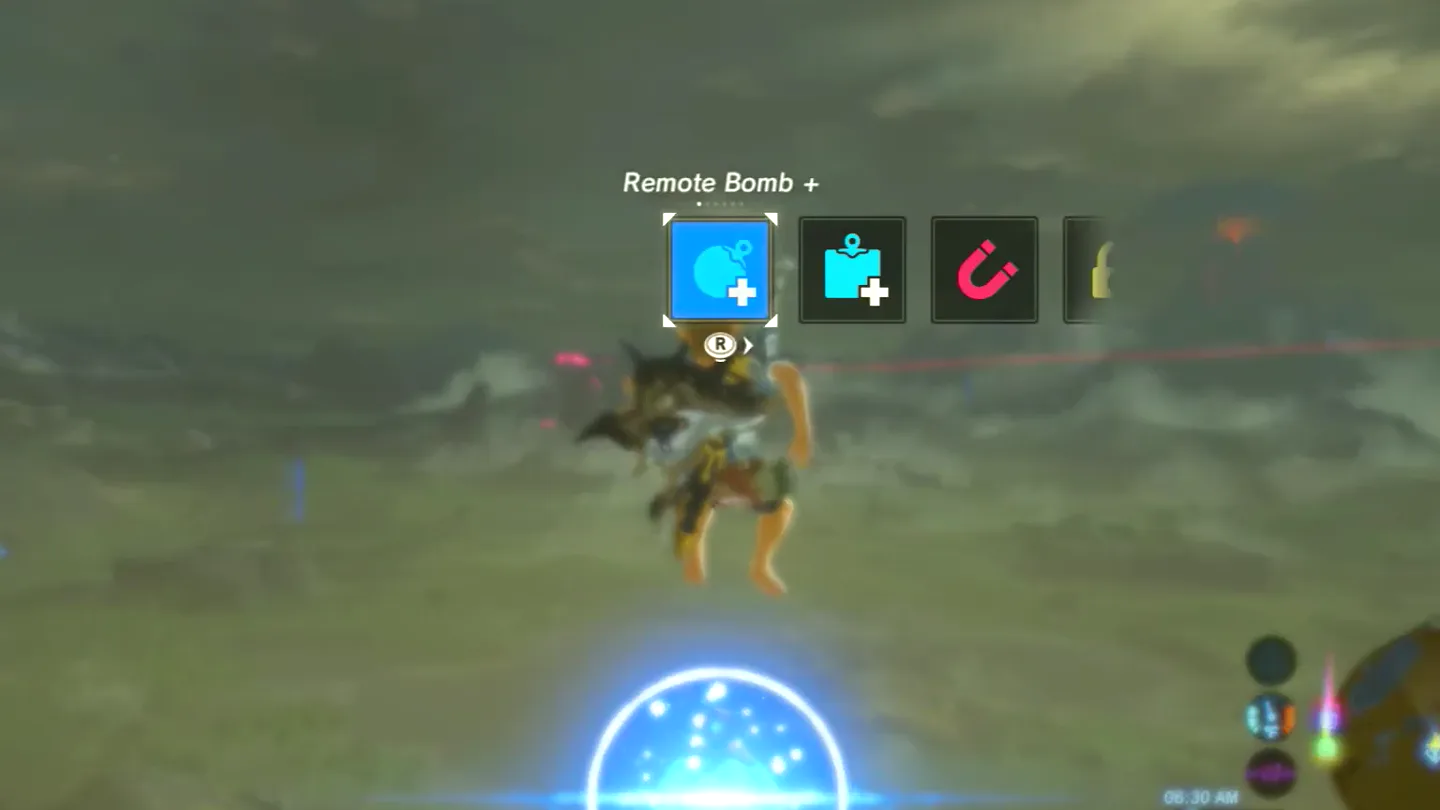
The spacing between the two bombs decides whether it works, and it takes practice. In the Nintendo Switch 2 Edition the physics play out differently at the higher frame rate, so timings learned on the original Switch need adjusting.
How do you duplicate weapons, bows and shields?
It starts with menu overloading: enough multishot bows loaded with a Shock Arrow lying on the ground that the game stops updating Link’s model.
You need one Shock Arrow and five to seven multishot bows, the kind marked ×2, ×3 or ×5. Seven is the safe number, and ×3 or ×5 bows work better than ×2. Lynels carry the bows that fire three or five; see the Lynel page and the bow list.
- Stand on flat ground and save. Equip the Shock Arrow and one multishot bow.
- Press ZR so Link holds the bow in his hands, without aiming.
- Open the inventory, drop the bow he is holding and equip another multishot bow. Close the inventory and check that Link is still holding a bow.
- Repeat step 3 until the inventory shows Link as a floating head, or with his clothes missing. The menu is now overloaded.
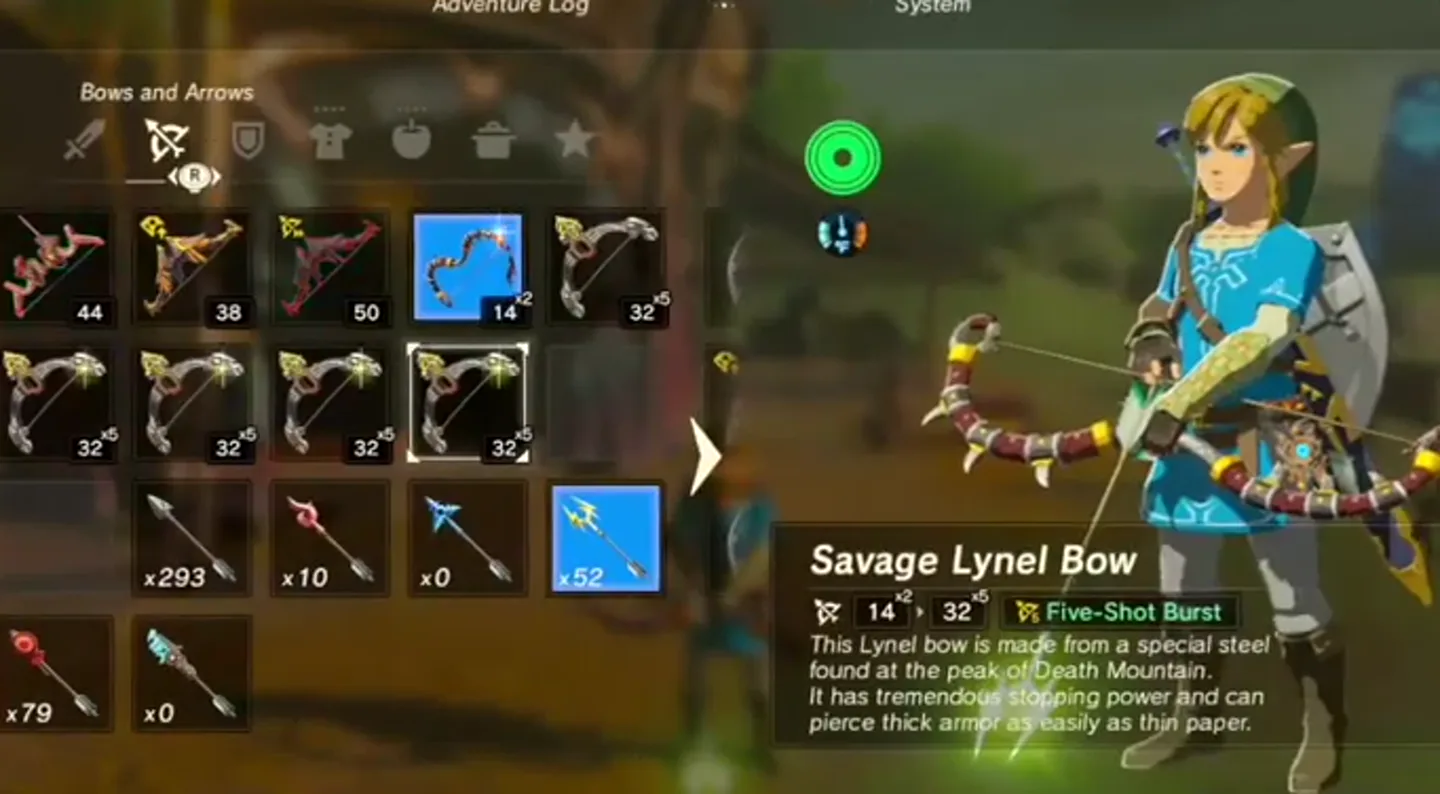
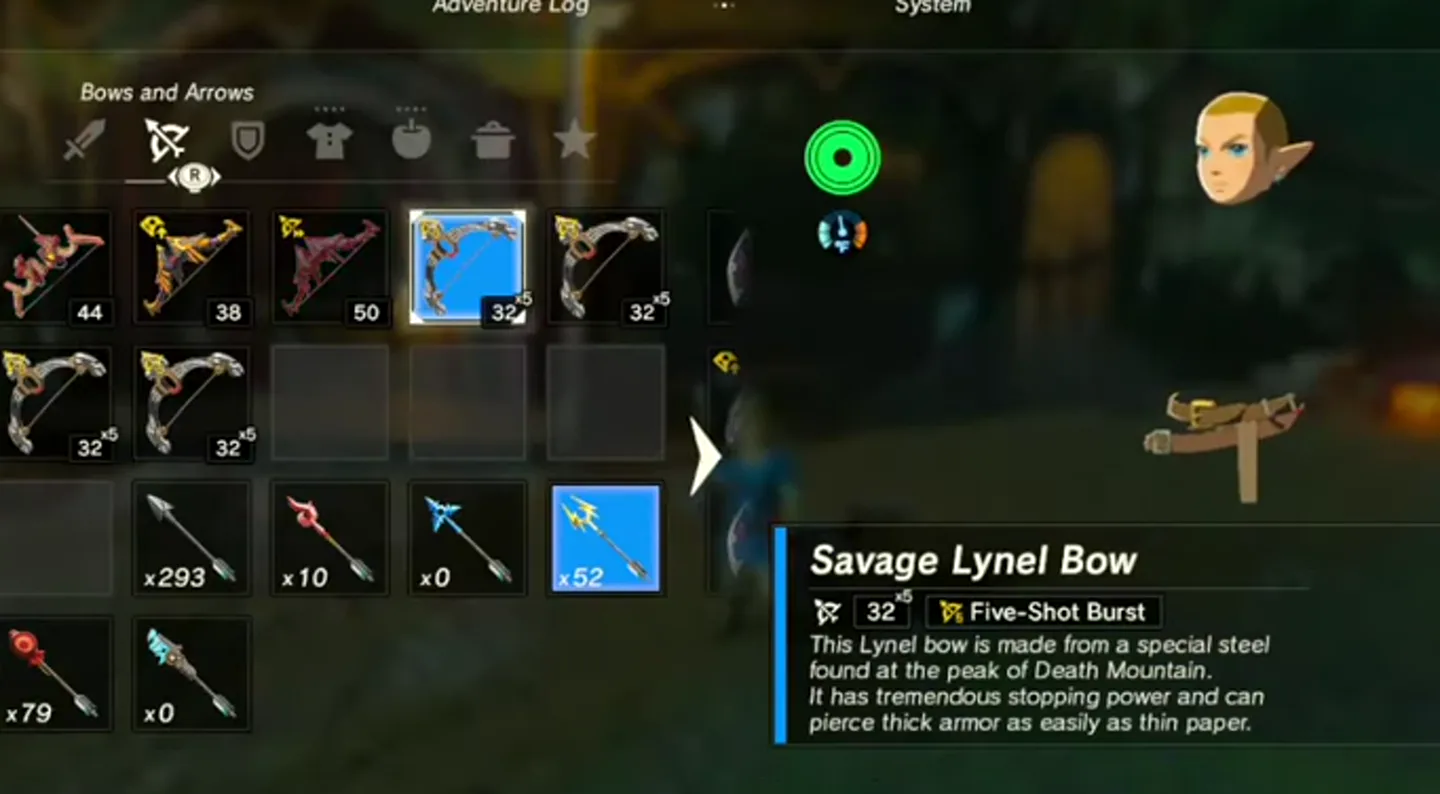
Picking the dropped bows back up ends the overload.
With the menu overloaded, what Link carries no longer follows the inventory, and that is what makes a copy:
- Equip the weapon you want to copy.
- With the bow still in hand, switch to a different weapon, the spare. Link’s model does not change: he still carries the first one.
- Drop the weapon that is now equipped. What lands on the ground is a copy of the first weapon, and the spare is gone.
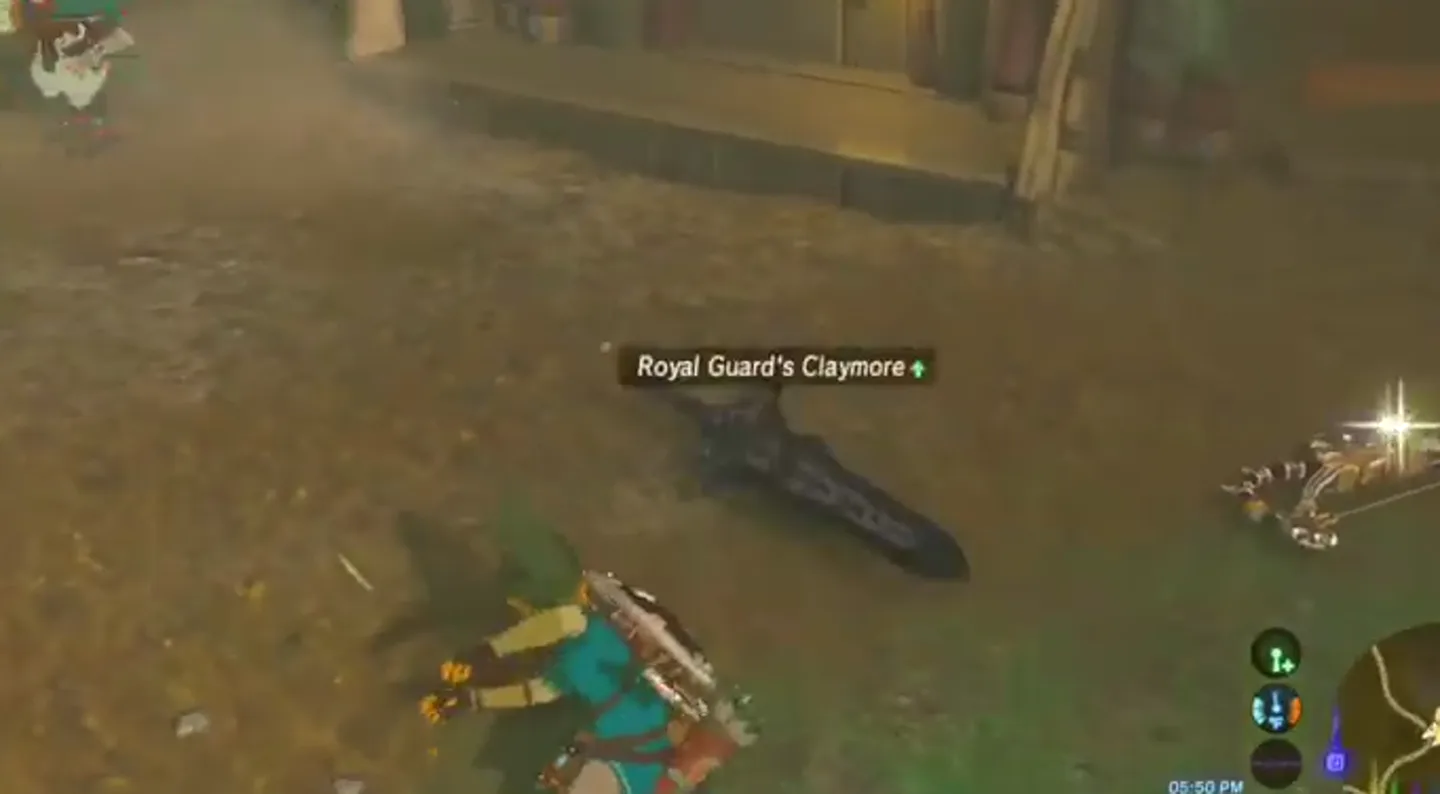
Bows and shields work the same way with a spare of their own type. If you own the house in Hateno Village, its weapon, bow and shield displays do the job too: overload the menu with the item to copy equipped, switch to the spare, put it on the display and take it back.
Is there a rupee glitch in 1.9.0?
Yes, and it uses the same overload. Parcy at Riverside Stable gives a gem for a piece of Royal Guard’s gear. Royal Guard’s weapons are found in Hyrule Castle.
- Carry one Royal Guard’s weapon, bow or shield and go to Riverside Stable.
- Overload the menu as above.
- Equip the Royal Guard’s item. If you hear no equip sound, it is working.
- Talk to Parcy and agree to hand it over. She gives you a gem, and the item stays in your inventory.
- Talk to her again as often as you like, then sell the gems.
Ways to earn rupees without glitches are on the rupee farming page.
How do you duplicate arrows and Guardian parts?
Arrows. Stand beside a campfire or a lit cooking pot with a multishot bow, so that the arrows catch fire as you draw, and shoot into something wooden nearby, such as a tree. The bow uses one arrow but every arrow it fires can be picked up, so a ×5 bow returns five for one. The cooking pot at Kara Kara Bazaar is a well-known spot.
Guardian parts. A few of the broken Guardians lying in Hyrule can be flipped over and pushed with Magnesis and a metal object. Push one far enough from where it started and ancient materials begin to pour out from under it without end. The one by Hyrule Castle Town Ruins is a common choice. On the original Switch this slows the game badly and can crash it when you open a menu or warp, so save beforehand; the Nintendo Switch 2 Edition handles it far better. The normal ways to farm these are on the ancient materials page.
Which glitches have been patched?
| Glitch | What it did | Stopped working in |
|---|---|---|
| Bow lift smuggle slide (BLSS) | Slid Link through the air at very high speed while he held an object with his bow out | 1.8.0, on both consoles |
| Hinox Curse | Pushing a Hinox into a waterfall broke the game’s physics | 1.8.0, on both consoles |
With the slide, every step up to the launch still works: Link can still end up with an object stuck in his hand. He then hangs in place when he should fly off. Version 1.9.0 changed nothing further.
What is different in the Switch 2 Edition?
- Windbombs work, with different timing at the higher frame rate.
- Shield clips through walls almost never work in their plain form. A harder, frame-precise version still does.
- Menu overloading works, though it is said to need a few more bows than on the original Switch.
- Endless Guardian parts runs without the crashes of the original Switch.
Everything else the edition changes is on the Switch 2 Edition page.
FAQ
Do glitches still work in Breath of the Wild 1.9.0?
What is the latest version of Breath of the Wild?
Which Breath of the Wild glitches were patched?
Do glitches work in the Nintendo Switch 2 Edition?
Can glitches break your save?
Related Articles
shrines
Kamia Omuna Shrine Guide: Moving Targets (BotW)
Defeat the Igneo Talus Titan at Lake Darman, time Kamia Omuna’s cannon shots, rotate the target cage, and recover its Diamond chest in Breath of the Wild.
shrines
Kee Dafunia Shrine Guide: The Melting Point (BotW)
Pass the sunrise ring, melt ice into stairs, reveal the Frostblade chest, and lift the final ice cube in Kee Dafunia Shrine in Breath of the Wild.
shrines
Keive Tala Shrine Guide: Big or Small (BotW)
Defeat the Molduking to reveal Keive Tala Shrine, connect its metal-and-water circuit, and solve the laser puzzle for a Radiant Shield in Breath of the Wild.
Was this helpful?
Thanks for the feedback!